
Think you need to be a programmer to create app without coding and make money? Think again. In 2026, the app development landscape has been completely democratized. No-code app development platforms have made it possible for anyone – regardless of technical background – to build, launch, and sell mobile apps that generate real passive income.
If you’ve ever had an app idea but dismissed it because you can’t code, this guide is your wake-up call. The tools exist right now to turn your vision into reality, and people just like you are already making thousands per month selling apps they built without writing a single line of code.
Let’s explore how you can join them and build apps no coding required.
Why No-Code App Development is Your Opportunity
The app market is massive and growing. Mobile apps generated over $400 billion in revenue in 2024, and that number continues to climb. The barrier? It used to be coding skills and expensive developers.
Not anymore.
The No-Code Revolution
No-code platforms have transformed who can participate in the app economy:
Traditional App Development:
- Requires years of coding experience
- Costs $10,000-$100,000+ to hire developers
- Takes months to build even simple apps
- Needs ongoing technical maintenance
No-Code App Development:
- Learn the basics in days or weeks
- Build apps for $0-$50/month platform fees
- Create functional apps in hours or days
- Visual editors make changes easy
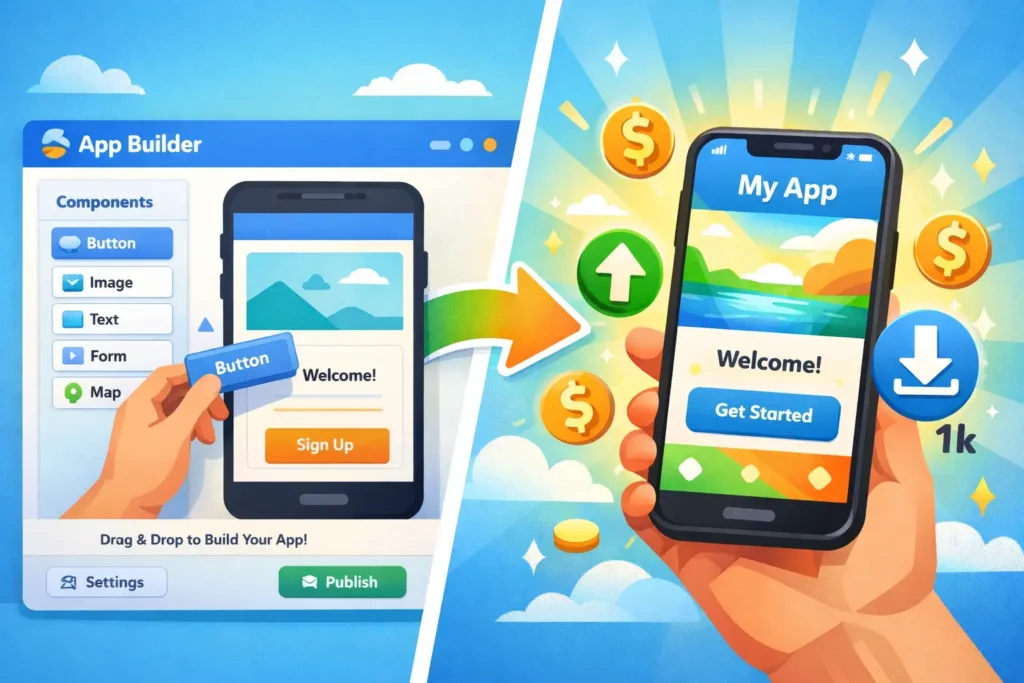
The Result? People with zero technical background are creating successful apps and generating app passive income while developers spend months on complex projects.
What Types of Apps Can You Build Without Coding?
Before diving into the how, let’s clarify what’s possible with no-code tools:
Apps You CAN Build No-Code:
✅ Business & Productivity Apps
- Task managers and to-do lists
- CRM and contact management
- Invoice and expense trackers
- Time tracking and scheduling
✅ Content & Community Apps
- News and blog apps
- Recipe and cooking apps
- Fitness and workout guides
- Directory and listing apps
✅ E-commerce & Marketplace Apps
- Product catalogs and stores
- Service marketplace apps
- Booking and reservation systems
- Food delivery and ordering
✅ Education & Learning Apps
- Course delivery platforms
- Flashcard and quiz apps
- Language learning tools
- Tutorial and how-to guides
✅ Lifestyle & Utility Apps
- Habit trackers
- Budget and finance calculators
- Event planners
- Health and wellness journals
Apps That Still Need Coding:
❌ Complex games with advanced graphics
❌ Apps requiring heavy real-time processing
❌ Apps with complex AI/ML functionality
❌ Apps needing extensive device hardware access
Good News: The apps you CAN build no-code represent 80% of successful apps on app stores. Most profitable apps are simple, focused tools that solve specific problems.
Best No-Code App Development Platforms for 2026
Here are the top platforms to create app without coding:
1. Adalo (Best for Beginners)
What It Does: Drag-and-drop app builder with pre-built components
Pricing:
- Free plan: Limited features, good for learning
- Starter: $36/month
- Professional: $52/month
Best For:
- Simple business apps
- Marketplace apps
- Content apps
Why Choose It: Most intuitive interface, fastest learning curve, strong community support.
2. Glide (Best for Quick Apps)
What It Does: Turns Google Sheets into mobile apps
Pricing:
- Free plan: Basic features
- Pro: $25/month
- Business: $99/month
Best For:
- Directory apps
- Internal business tools
- Quick prototypes
Why Choose It: Fastest time from idea to published app. If your data fits in a spreadsheet, you can have an app in hours.
3. FlutterFlow (Best for Advanced Features)
What It Does: Visual builder using Google’s Flutter framework
Pricing:
- Free plan: Development only
- Standard: $30/month
- Pro: $70/month
Best For:
- More complex apps
- Apps needing custom functionality
- Professional-looking designs
Why Choose It: Most powerful no-code platform, closest to “real” app development without coding.
4. Bubble (Best for Web + Mobile)
What It Does: Full-stack no-code platform for web and progressive web apps
Pricing:
- Free plan: Development
- Starter: $29/month
- Growth: $119/month
Best For:
- Web apps that work on mobile
- SaaS products
- Complex workflows
Why Choose It: Most versatile, can build almost anything, strong for monetization features.
5. Thunkable (Best for Cross-Platform)
What It Does: Build once, deploy to iOS and Android
Pricing:
- Free plan: Limited
- Pro: $25/month
- Team: $50/month per user
Best For:
- Apps needing both iOS and Android
- Educational apps
- Community apps
Why Choose It: True cross-platform development, strong free tier for learning.
💡 Recommendation: Start with Glide (fastest) or Adalo (most beginner-friendly). You can always switch platforms later.
How to Build Apps No Coding: Step-by-Step Process
Step 1: Validate Your App Idea (Before Building)
Don’t build until you’ve validated demand. Use this quick process:
Research Questions:
- Does this problem genuinely exist?
- Are people currently paying to solve it?
- What similar apps exist and how are they doing?
- Can you offer something better or different?
- Who exactly would pay for this?
Validation Methods:
- Search App Store/Google Play for similar apps and read reviews
- Join relevant Facebook groups and ask about the problem
- Post on Reddit in niche communities
- Survey potential users (100 responses is gold)
- Check Google Trends for search interest
Green Light Indicators:
- Similar apps exist and are making money (proves market)
- Reviews complain about missing features (your opportunity)
- You can identify 100+ potential users right now
- People say “I wish there was an app for…”
Step 2: Plan Your MVP (Minimum Viable Product)
Don’t build your dream app. Build the simplest version that solves the core problem.
MVP Planning:
Core Features Only:
- What’s the ONE main thing your app must do?
- What 2-3 features support that main function?
- Everything else? Cut it for version 1.0
Example: Habit Tracker App
- Core: Track daily habits (yes/no)
- Supporting: View streak, simple stats, reminders
- Cut for V1: Social features, achievements, analytics, custom themes
Why MVP Matters: You can build and test an MVP in 1-2 weeks. Your “full vision” might take 6 months—and you might discover nobody wants it after launch.
Step 3: Choose Your No-Code Platform
Based on your app type:
- Simple data app? → Glide
- First app ever? → Adalo
- Need professional polish? → FlutterFlow
- Web + mobile? → Bubble
- Quick prototype? → Glide or Thunkable
Start with free plans. Only upgrade when you’re ready to publish.
Step 4: Build Your App
Week 1: Learn the Platform
- Watch 2-3 tutorial videos for your chosen platform
- Build a simple practice app (to-do list or note-taker)
- Join the platform’s community forum
- Study successful apps built on the platform
Week 2-3: Build Your MVP
- Set up your app structure and navigation
- Add your core functionality
- Create basic but clean design
- Test every feature thoroughly
- Get 5 friends to test and provide feedback
Design Tips for Non-Designers:
- Use platform templates (they’re professionally designed)
- Stick to 2-3 colors maximum
- Use consistent spacing and sizing
- Choose one font family
- Don’t try to be creative—be clean and simple
Common Beginner Mistakes:
- Adding too many features initially
- Making navigation confusing
- Ignoring mobile screen sizes
- Skipping user testing
- Perfectionism delaying launch
Step 5: Test Before Launch
Testing Checklist:
- Test on actual phones (iOS and Android if possible)
- Give to 10-20 people who fit your target audience
- Watch them use it without helping (observe struggles)
- Fix critical bugs and confusion points
- Don’t fix everything—just dealbreakers
Questions to Ask Testers:
- What did you think this app did before using it?
- Was anything confusing or frustrating?
- Would you actually use this? Why or why not?
- Would you pay $X for this?
- What’s the ONE thing that would make this better?
How to Sell Mobile Apps and Generate Passive Income
Building is half the battle. Selling is where app passive income actually happens.
Monetization Strategy #1: Paid Apps ($0.99-$9.99)
How It Works: Users pay once to download
Best For:
- Utility apps with clear value
- Niche professional tools
- Premium productivity apps
Pros:
- Immediate revenue
- Simple business model
- No ongoing user management
Cons:
- Lower download numbers
- Must prove value before purchase
- Hard to compete with free apps
Pricing Guide:
- Simple utility: $0.99-$2.99
- Specialized tool: $2.99-$4.99
- Professional app: $4.99-$9.99
Monetization Strategy #2: Freemium Model
How It Works: Free download, charge for premium features
Best For:
- Apps with natural upgrade path
- Apps with ongoing value
- Apps building user base
Typical Structure:
- Free: Basic features, limited usage
- Premium: $2.99-$9.99/month or $19.99-$49.99/year
Examples:
- Habit tracker: Free for 3 habits, premium unlimited
- Recipe app: Free basic recipes, premium full database
- Fitness app: Free workouts, premium personalized plans
Why It Works: Users try before buying, leading to higher total revenue despite lower conversion rates.
Monetization Strategy #3: Subscription Model
How It Works: Recurring monthly or annual fees
Best For:
- Apps with regularly updated content
- Apps providing ongoing value
- SaaS-style apps
Pricing Sweet Spots:
- Casual users: $2.99-$4.99/month
- Serious users: $9.99-$14.99/month
- Professional users: $19.99-$49.99/month
Annual Discounts: Offer 20-30% off annual plans to lock in revenue.
Monetization Strategy #4: In-App Purchases
How It Works: Free app, sell additional content or features
Best For:
- Content apps (recipes, workouts, templates)
- Apps with expandable features
- Apps with virtual goods
Examples:
- Recipe app selling recipe packs ($1.99-$4.99 each)
- Productivity app selling templates ($0.99-$2.99 each)
- Fitness app selling workout programs ($9.99-$19.99 each)
Monetization Strategy #5: Sell Your App
How It Works: Build, grow, and sell the entire app business
Best For:
- Proven apps with revenue
- Apps in growing niches
- Portfolio of multiple apps
Typical Valuations:
- 2-3x annual revenue for small apps
- 3-5x for growing apps with strong metrics
- More for unique IP or technology
Where to Sell:
- Flippa.com (app marketplace)
- Empire Flippers (vetted listings)
- Direct outreach to companies in your niche
Marketing Your No-Code App (Get Your First 100 Users)
You’ve built it. Now get users.
Launch Strategy (Week 1)
Day 1-2: Personal Network
- Text everyone you know in your target audience
- Post on all your social media
- Email your contacts
- Goal: 20-50 downloads from people who know you
Day 3-4: Online Communities
- Reddit (relevant subreddits)
- Facebook Groups
- LinkedIn groups
- Discord servers
- Share helpfully, don’t spam
Day 5-7: Content Marketing
- Write a “Why I Built This App” blog post
- Create short tutorial videos
- Post on Product Hunt
- Reach out to micro-influencers
Growth Strategy (Months 1-3)
ASO (App Store Optimization):
- Keyword-rich title (but readable)
- Clear, benefit-focused description
- 5-7 quality screenshots showing features
- Ratings and reviews (ask happy users)
Organic Growth Tactics:
- Share user wins on social media
- Build email list of interested users
- Create YouTube tutorials for your niche
- Guest post on relevant blogs
- Partner with complementary apps
Paid Advertising (Optional):
- Start with $5-10/day budget
- Facebook/Instagram ads to targeted audience
- Google App Campaigns
- Only after organic validation
Growth Benchmarks:
- Month 1: 100-500 downloads
- Month 3: 500-2,000 downloads
- Month 6: 1,000-5,000 downloads
- Month 12: 5,000-20,000+ downloads
Real Income Potential: What to Expect
Let’s get realistic about app passive income:
Scenario 1: Simple Utility App
Model: Paid app at $2.99
- Month 1: 50 downloads = $150
- Month 6: 200 downloads/month = $600/month
- Month 12: 500 downloads/month = $1,500/month
Total Year 1 Revenue: ~$8,000-12,000
Scenario 2: Freemium App
Model: Free with $4.99/month premium (5% conversion)
- Month 3: 500 users, 25 premium = $125/month
- Month 6: 2,000 users, 100 premium = $500/month
- Month 12: 5,000 users, 250 premium = $1,250/month
Total Year 1 Revenue: ~$6,000-10,000
Scenario 3: Niche Professional Tool
Model: Paid app at $9.99 for specific profession
- Month 3: 30 downloads/month = $300/month
- Month 6: 50 downloads/month = $500/month
- Month 12: 100 downloads/month = $1,000/month
Total Year 1 Revenue: ~$7,000-10,000
Reality Check: Most first apps make $0-500/month. But successful second or third apps, with lessons learned, can hit $1,000-5,000/month. Building an app portfolio (5-10 apps) can generate $3,000-15,000/month.
Common Mistakes When You Build Apps No Coding
Mistake #1: Building Before Validating
Problem: Spending months building an app nobody wants.
Solution: Validate first. Create a landing page describing your app and collect emails. If you can’t get 100 interested people before building, rethink the idea.
Mistake #2: Feature Creep
Problem: Adding “just one more feature” endlessly, never launching.
Solution: Set a launch date 4 weeks away. Build only what’s absolutely necessary. Ship it. Add features based on user feedback.
Mistake #3: Ignoring User Feedback
Problem: Building what you think users want vs. what they actually need.
Solution: Talk to users weekly. Read every review. Join communities where your users hang out. Let their pain points guide development.
Mistake #4: Expecting Passive Income Without Marketing
Problem: “Build it and they will come” thinking.
Solution: Plan to spend 50% of your time on marketing and user acquisition. The app itself is just half the work.
Mistake #5: Giving Up Too Soon
Problem: Quitting after slow initial traction.
Solution: Commit to 6-12 months. Most successful apps took months to gain momentum. Consistency and iteration win.
Your 30-Day No-Code App Action Plan
Ready to create app without coding? Follow this roadmap:
Week 1: Research & Validate
- Days 1-2: Brainstorm 10 app ideas
- Days 3-5: Research each idea (competition, demand)
- Days 6-7: Validate top 3 ideas with surveys/communities
Week 2: Learn & Plan
- Days 8-10: Choose platform, complete tutorials
- Days 11-12: Plan MVP features and design
- Days 13-14: Create mockups/wireframes
Week 3: Build
- Days 15-19: Build core features
- Days 20-21: Add design and polish
Week 4: Test & Launch
- Days 22-25: User testing, fix critical issues
- Days 26-27: Prepare app store listings
- Days 28-30: Submit to app stores, begin marketing
Success Metric: By day 30, have a live app with 50-100 downloads.
FAQ: No-Code App Development
Can you really build quality apps without coding?
Yes. Many successful apps in app stores were built with no-code tools. The key is choosing the right tool for your app type and focusing on solving real problems.
How much does it cost to create app without coding?
Free to start (most platforms have free plans). To publish professionally, budget $30-100/month for platform fees plus $99/year (Apple) and $25 one-time (Google) for developer accounts.
How long does it take to build a no-code app?
A simple app: 1-2 weeks. Medium complexity: 3-6 weeks. More complex: 2-3 months. Much faster than traditional development which takes 3-12+ months.
Can no-code apps make real money?
Absolutely. People generate anywhere from a few hundred to tens of thousands per month. Success depends more on solving real problems and marketing well than on coding ability.
Do I need to know any coding at all?
No. Modern no-code platforms are truly visual. However, learning basic logic concepts (if/then, variables) helps you build more sophisticated features.
Which is better: iOS or Android?
Start with one based on your target audience. iOS users typically spend more on apps. Android has more users globally. Most no-code tools let you publish to both.
Take Action: Start Building Today
You now know how to create app without coding, which platforms to use, how to monetize, and what to expect. The opportunity to sell mobile apps and build app passive income is real and accessible.
The question is: Will you take action?
Thousands of people are using no-code app development to build income streams right now. They’re not smarter or more talented—they just started.
Your Next Steps:
- Choose one app idea from your brainstorming
- Sign up for a free platform account (Glide or Adalo recommended)
- Complete one tutorial this week
- Build a simple practice app before your real one
- Set a launch date 4-6 weeks from now
Don’t wait for perfect conditions. Don’t spend months “learning more.” Don’t let imposter syndrome stop you.
Start today. Build something simple. Launch it. Learn from real users. Iterate and improve.
The app passive income you’ll be earning a year from now starts with the action you take this week.
🚀 Ready to dive deeper? Subscribe to our newsletter for weekly no-code tutorials, app monetization strategies, and success stories from builders just like you!
Remember: Every successful app builder started exactly where you are now—with zero apps published and lots of questions. The difference? They hit “start” instead of waiting for everything to be perfect.
Your app journey begins now. Make it count.